Integrations

Your apps, finally talking.

Stripe saw the failed card, HubSpot knew the renewal was days away, and the note to the account owner was ready. The customer was saved before lunch.
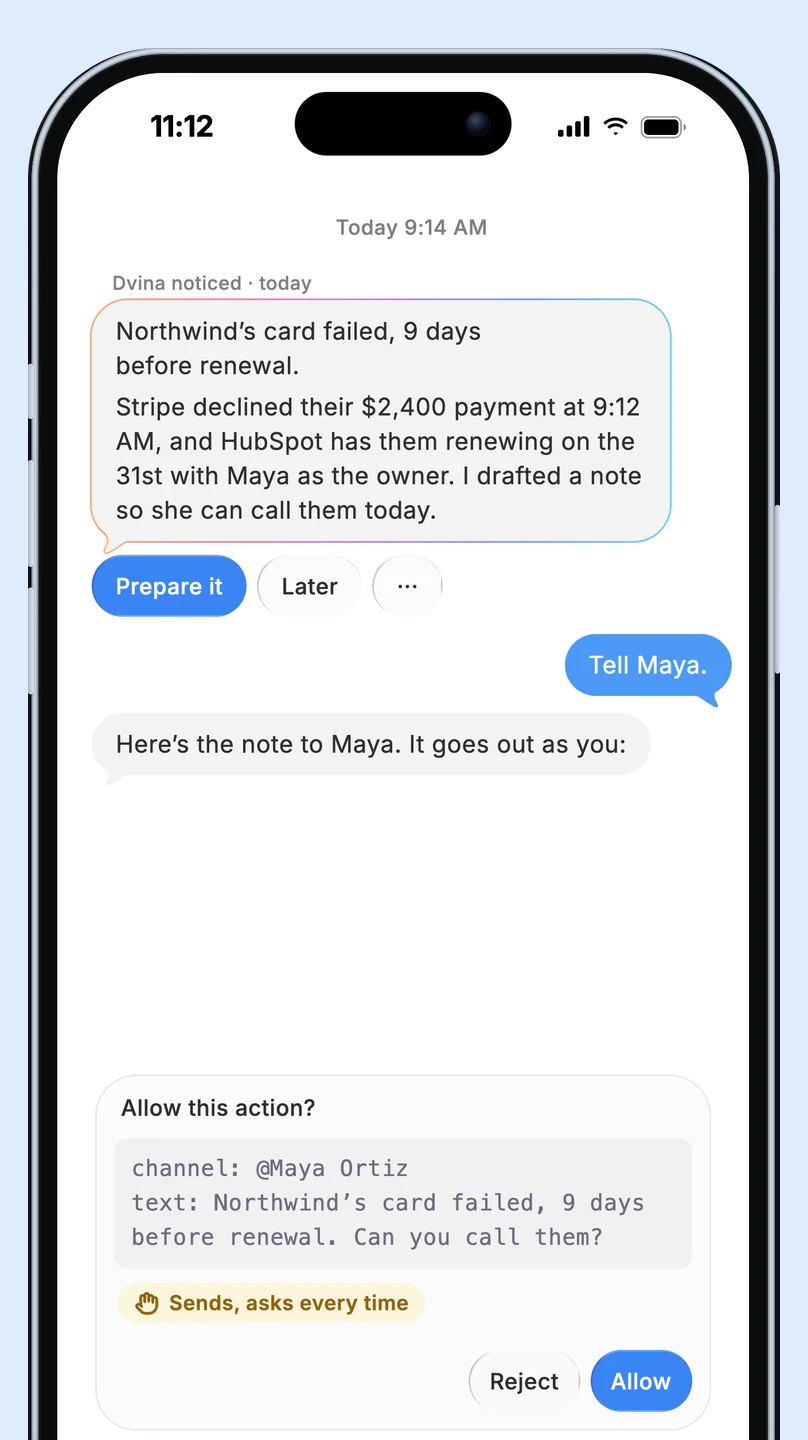
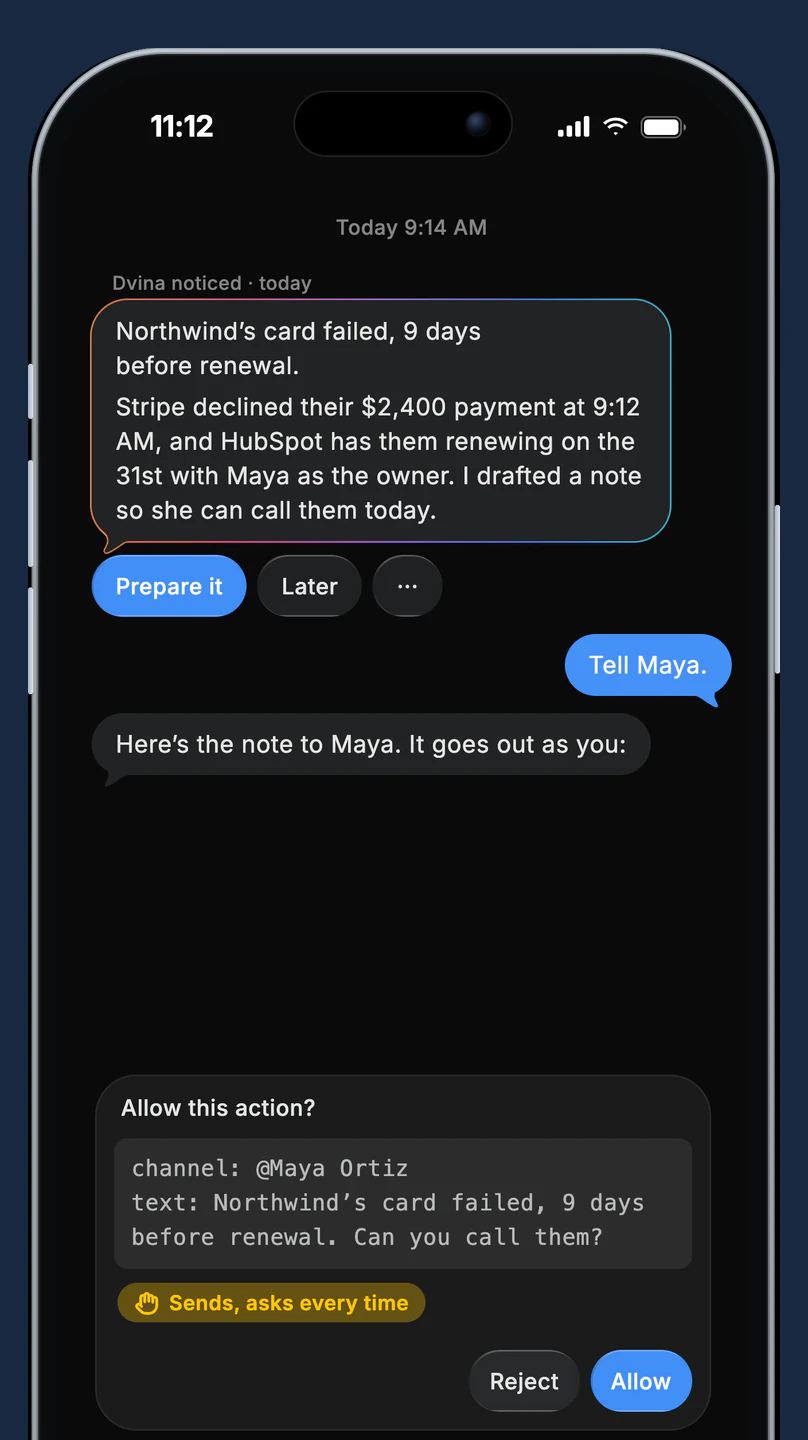
A founder in a pink shirt and tortoiseshell glasses reads her iPhone at her kitchen counter, coffee in hand. Beside her, Dvina on an iPhone: Northwind’s card failed in Stripe, nine days before the renewal HubSpot has on file, and a Slack note to Maya waits on Allow or Reject.A founder in a pink shirt and tortoiseshell glasses reads her iPhone at her kitchen counter, coffee in hand. Beside her, Dvina on an iPhone: Northwind’s card failed in Stripe, nine days before the renewal HubSpot has on file, and a Slack note to Maya waits on Allow or Reject.

Less noise. More known.

Pulse

It notices for you.

When something changes in an app you use, you get one short card that says why it matters, not a pile of notifications. And when nothing matters, it stays quiet.

Slack’s page in Dvina on an iPhone: 2 need you, Dana needs the Q3 numbers before her 2 PM review, and the launch moved to Tuesday.Slack’s page in Dvina on an iPhone: 2 need you, Dana needs the Q3 numbers before her 2 PM review, and the launch moved to Tuesday.

One card, not ten pings. Only what changed, and why.

Brief me. Reply. Get the details or a drafted reply in a tap.

While you’re away

One app tells another.

Dvina carries the details between your apps, so the invoice in your inbox becomes a bill and a note to the team. Sending, paying and deleting wait for your OK.

Three cards from Dvina: Ridgeline Supply’s invoice arriving in Gmail, $1,240 due November 7; the bill ready for QuickBooks; and a Slack note to #finance waiting on Allow or Reject.Three cards from Dvina: Ridgeline Supply’s invoice arriving in Gmail, $1,240 due November 7; the bill ready for QuickBooks; and a Slack note to #finance waiting on Allow or Reject.
At a Saturday farmers market, a farmer in a rust-orange apron laughs with a customer as he hands her a bag of heirloom tomatoes, his phone in his apron pocket.

It carries the details. Amounts, dates and names move from one app to the next.

It drafts the next step. The bill and the note are ready while you’re busy.

It asks before it sends. Nothing goes to another person until you tap Allow.

Databases

Your data, in plain words.

Connect your database or warehouse and ask the way you’d ask a colleague. Dvina finds the right tables, writes the query and shows you the answer.

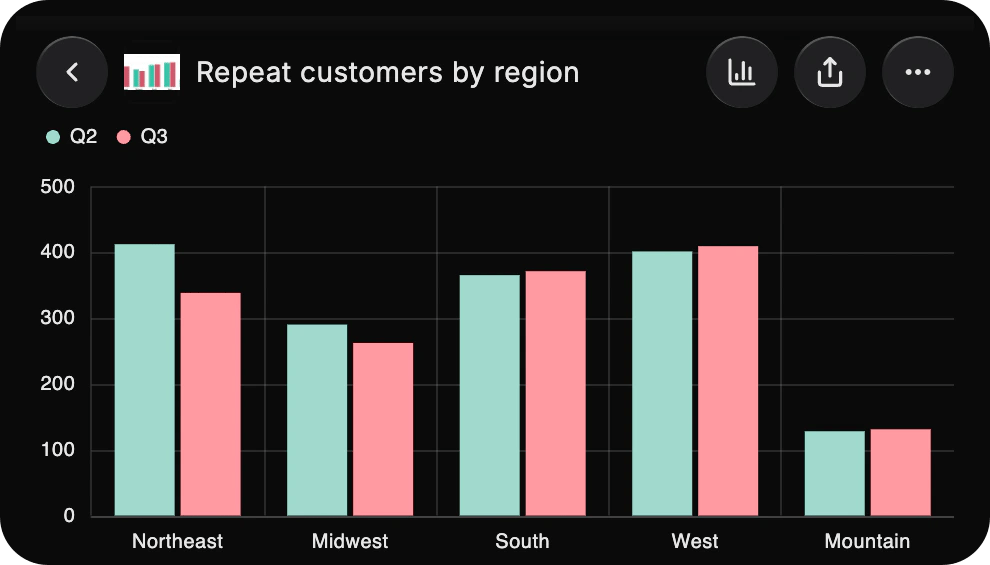
Dvina in a Mac window: asked “Which regions lost repeat customers last quarter?”, it answers that the Northeast is down 18% and the Midwest 10%, with a live bar chart of repeat customers by region and the table of Q2 and Q3 under it.Dvina in a Mac window: asked “Which regions lost repeat customers last quarter?”, it answers that the Northeast is down 18% and the Midwest 10%, with a live bar chart of repeat customers by region and the table of Q2 and Q3 under it.
  • PostgreSQL
  • MySQL
  • SQL Server
  • Snowflake
  • BigQuery
  • Redshift
  • Databricks

And 13 more databases and warehouses.
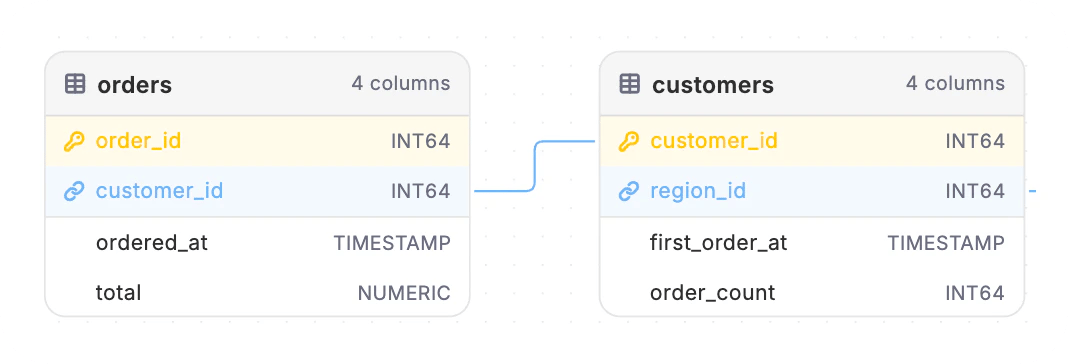
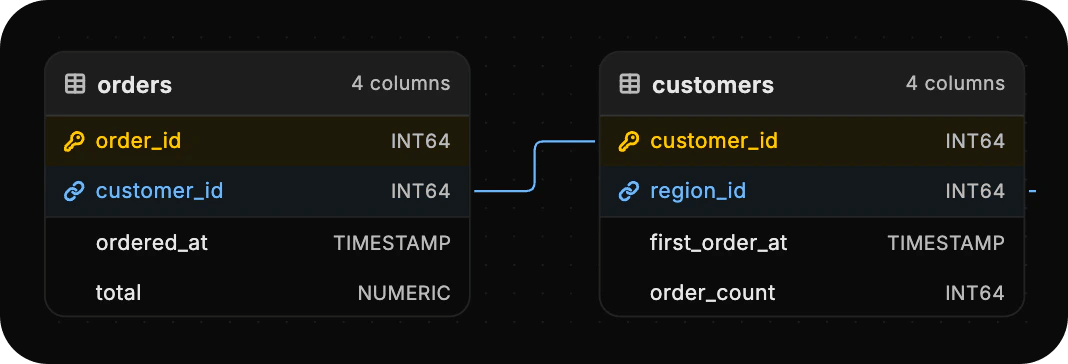
  • A sales warehouse’s tables in Dvina’s diagram, orders and customers joined on customer_id and customers joined on to regions by region_id, keys marked.A sales warehouse’s tables in Dvina’s diagram, orders and customers joined on customer_id and customers joined on to regions by region_id, keys marked.

    It maps your tables. Dvina learns how your tables connect, so you never name a join.
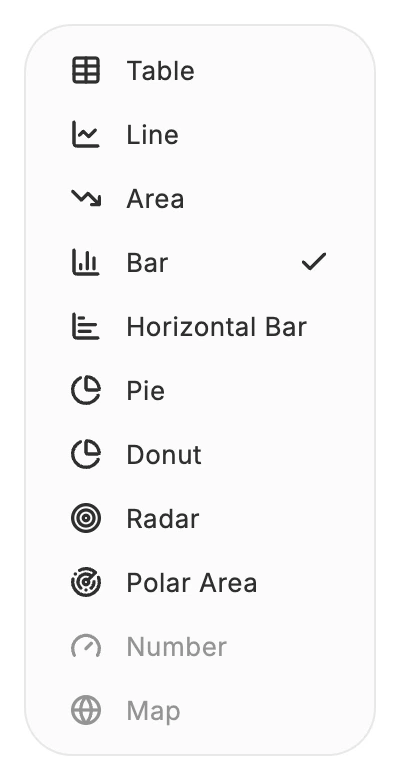
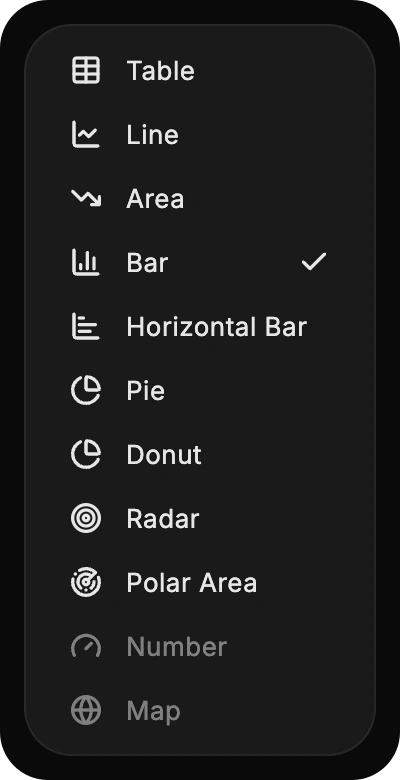
  • The presentation menu of an answer in Dvina: Table, Line, Area, Bar (ticked), Horizontal Bar, Pie, Donut, Radar and Polar Area.The presentation menu of an answer in Dvina: Table, Line, Area, Bar (ticked), Horizontal Bar, Pie, Donut, Radar and Polar Area.

    Chart, table or pivot. Change how an answer looks in a tap: a table, bars, lines, a pie and more.
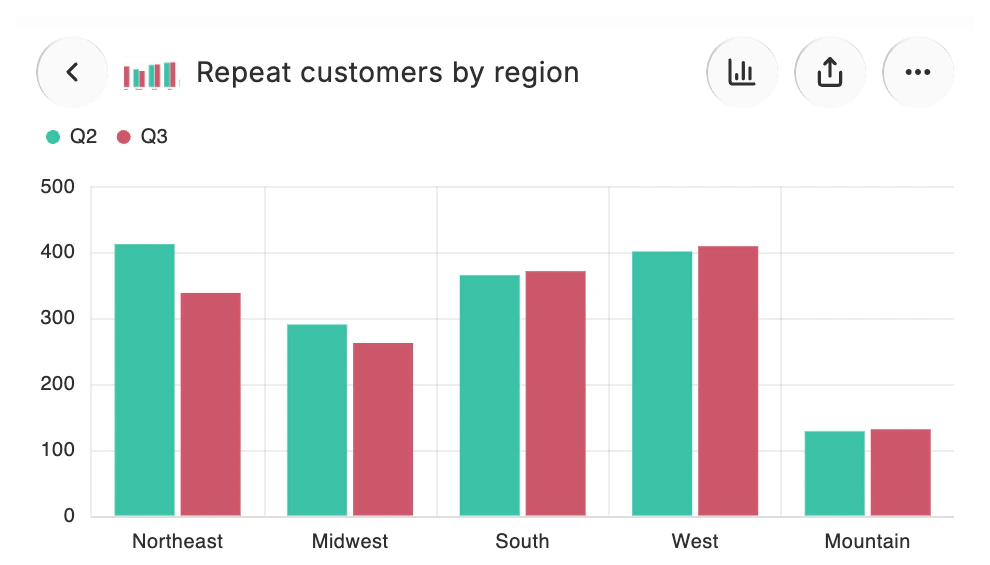
  • The saved insight in Dvina, Repeat customers by region: its picture, the bar chart of Q2 and Q3 by region, and its share and more buttons.The saved insight in Dvina, Repeat customers by region: its picture, the bar chart of Q2 and Q3 by region, and its share and more buttons.

    Keep it as an insight. Save any answer and open it again whenever you need it.
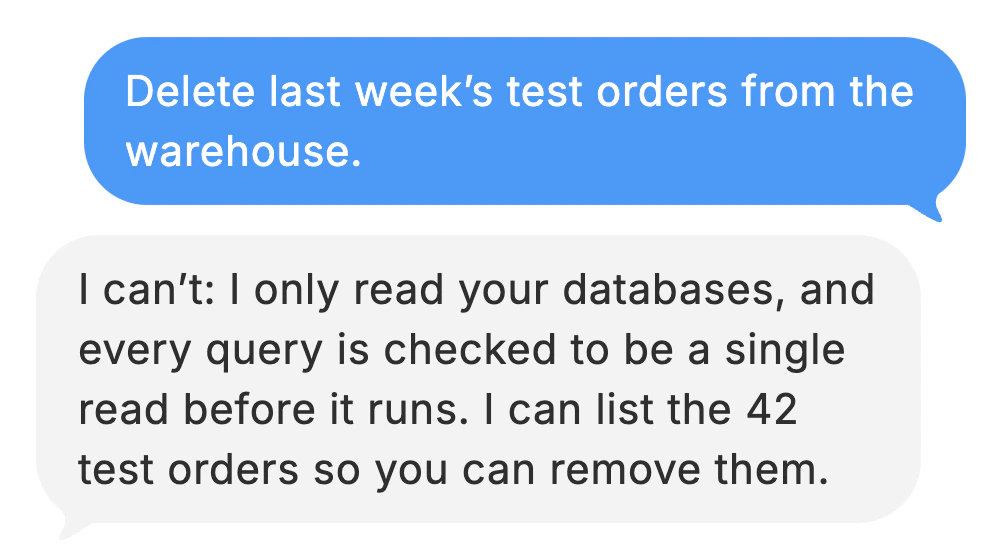
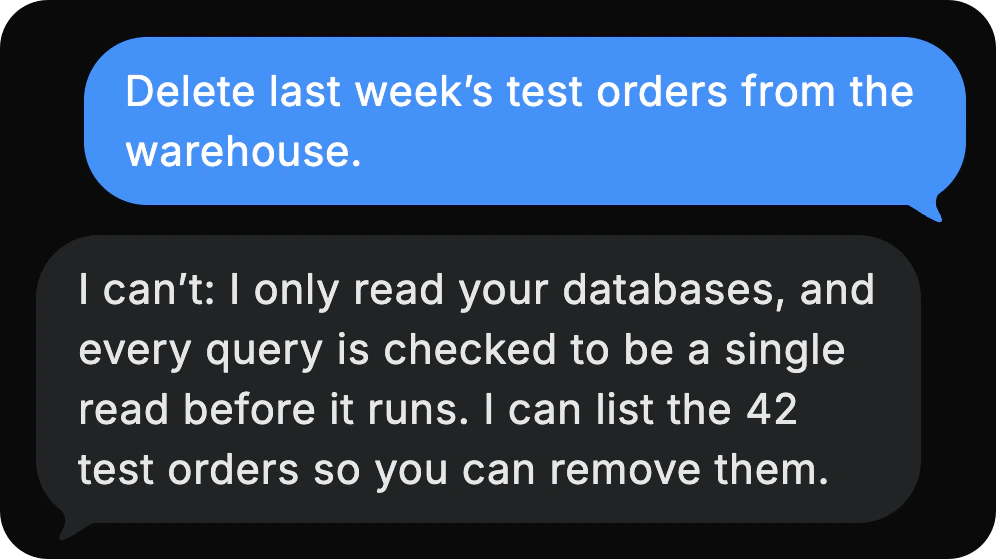
  • Asked to delete last week’s test orders, Dvina answers that it only reads your databases, every query checked to be a single read, and offers to list the 42 orders.Asked to delete last week’s test orders, Dvina answers that it only reads your databases, every query checked to be a single read, and offers to list the 42 orders.

    Read-only by design. Every query is checked to be a single read before it runs. Your data stays as it is.

Across your apps

Ask once. It looks everywhere.

Ask what’s blocking Friday’s build. Dvina reads your issues, your pull requests and the team chat, and gives you one answer.

Dvina in a Mac window: asked “What’s blocking Friday’s build?”, it answers “2 blockers. 1 fix in review.” with a card of two Linear blockers, the GitHub fix in review and the Slack release thread.Dvina in a Mac window: asked “What’s blocking Friday’s build?”, it answers “2 blockers. 1 fix in review.” with a card of two Linear blockers, the GitHub fix in review and the Slack release thread.

100+ apps

The ones you already use.

Mail, calendars, chat, files, CRMs and payments. Connect each with your own sign-in, in a tap, and Dvina keeps up as things change. Your company’s own tools connect too, by their web address.


  • Gmail
  • Slack
  • Notion
  • Salesforce
  • Google Calendar
  • GitHub
  • Stripe
  • Google Drive
  • Linear
  • HubSpot
  • Outlook
  • Figma
  • Shopify
  • Zoom
  • Dropbox
  • Jira
  • QuickBooks
  • Microsoft Teams
  • Asana
  • Zendesk
  • Google Docs
  • PayPal
  • Trello
  • OneDrive
  • Airtable
  • Intercom
  • Canva
  • Google Sheets
  • Xero
  • Discord
  • monday.com
  • Box
  • GitLab
  • Confluence
  • Square
  • Google Meet
  • ClickUp
  • SharePoint
  • WhatsApp
  • Miro
  • Mailchimp
  • Todoist
  • Pipedrive

Sending, deleting and paying always ask.

Dvina reads freely and drafts for you, but nothing goes to another person, is deleted for good or gets paid until you say so. Every time, whatever you allowed before. On Enterprise, admins choose which apps members may connect and can revoke any connection.

Connect your first app.

Try Dvina free

Keep exploring.

Questions? Answers.

Which apps can I connect?
More than 100, across mail, calendars, chat, files, CRMs, payments and developer tools, plus 20 databases and warehouses. You connect each one with your own sign-in.

What does Pulse watch?
Changes in the apps you connect, where the app offers them. You can turn each kind of change on or off for each app.
Can Dvina change my database?
No. It only reads, and every query is checked before it runs.
Can I connect two accounts of one app?
Yes. Add your work and personal accounts, name each one and pick a default. When Dvina reads, it reads all of them; when it writes, the approval card shows which account it uses.
Can I connect my company’s own tools?
Yes. Add your company’s wiki or inventory system by its web address, and it works like every other app.
What happens when I disconnect?
Dvina stops reading from that app. What it already brought in stays, and you can connect it again any time.
Can my company control which apps are used?
On Enterprise, yes. Admins can allow or block apps and custom servers, see every member’s connections and revoke any of them.